
Overview
There are some scenarios where there is a need to change/edit an answer of a question for several uploaded interviews in the data at once.
This can be done for all types of questions but the update can be done only for 1 question at a time.
In this how to we will show how you can set an answer to several subjects.
Step 1: Change the status of desired interviews to a writable status
1. Open the operation console.
2. Get the desired interviews.
3. Select desired interviews.
4. Press the ‘update status’ button:
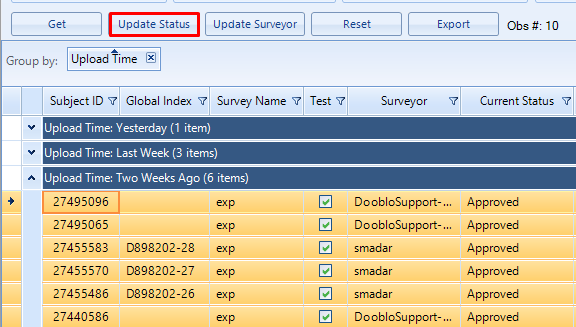
5. Choose to update the status to writable status for example: "in progress":

Step 2: Set Answer to a Question
Right click and choose 'Mass Interview Data Values Change (Advanced)'.
Please note: In some versions this option will show as 'Clear Answer (Advanced)'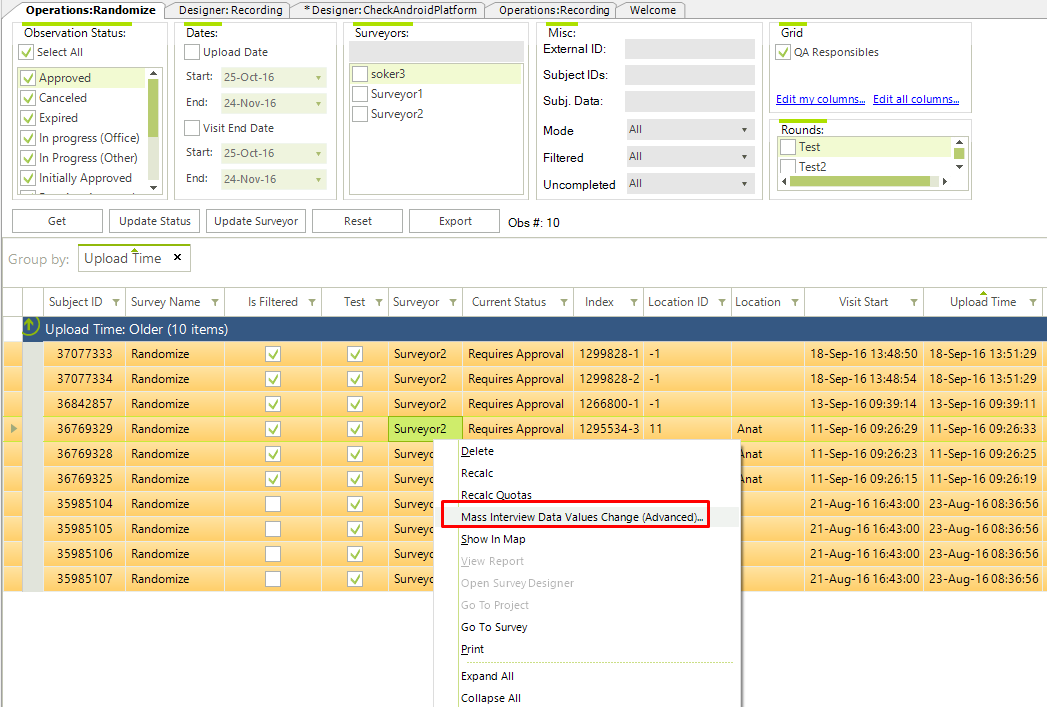
Choose the questions that you would like to set answers to and click on 'Set Answer Value'
Choose/type the answers you would like to set and click 'Accept'
That's It !
Comments
Hi Team,
Good day.
Kindly explain each option in the above screen.
Example:
Do Not Score
Set Answer NOT NULL
Set Answer Value
Set Answer NULL
Clear Answers
With regards
Pushpalatha
Please sign in to leave a comment.