
First, download the attached survey and import it into your organization:
How To Import a Survey
Add the attached subject store called: ‘make_model_list_small'
as a subject store to the survey:
Adding a Subject Store to a survey
Make sure you configure the ‘ID’ column as ‘Is User Tag’ and the ‘Make’ column as ‘IsName’, in this specific example.
Make sure you set the following questions to be set as the picture shows: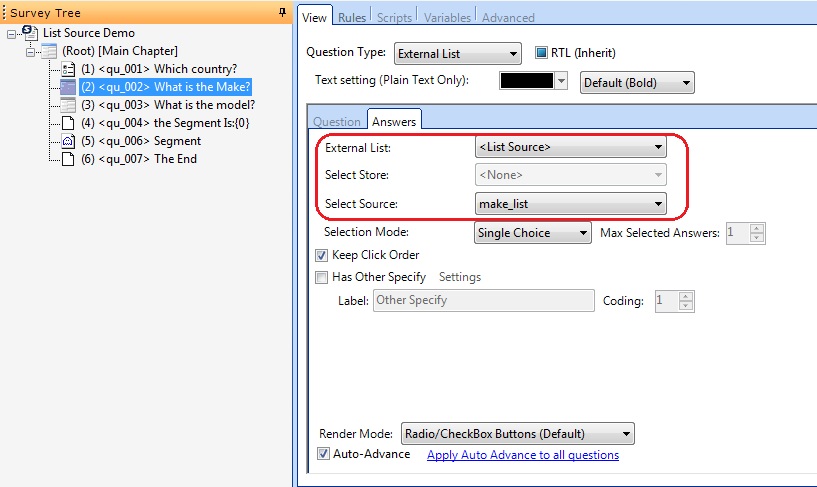
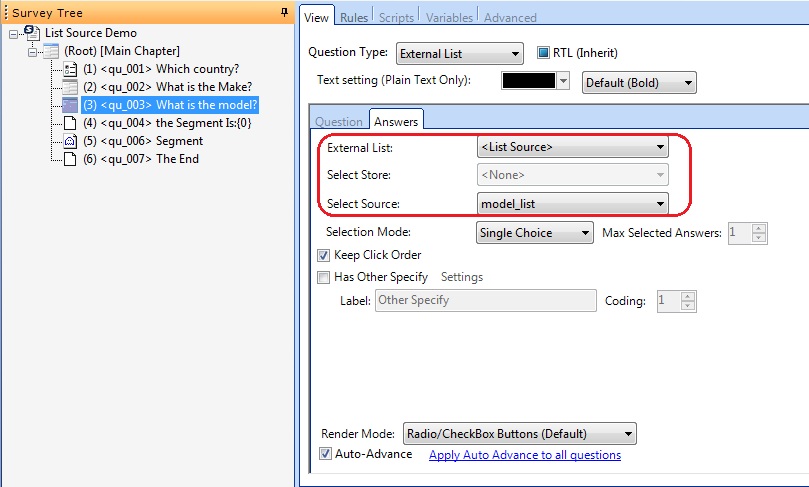
Here I basically created ‘List Sources’ that would manipulate the Subject Store according to specific answers and according to it, will display particular answers.
You can view the List Sources here:
And here I have pulled through some other information from my subject store and used piping to show it.
Comments
Please sign in to leave a comment.